InspireVoice
Unlimited Creativity
No download · Ready‑to‑use · Basic features permanently free
Editing, MIDI arrangement and tuning, all‑in‑one solution
Professional tools, simple interface — for every second of great sound!

Easy Online Audio Editing
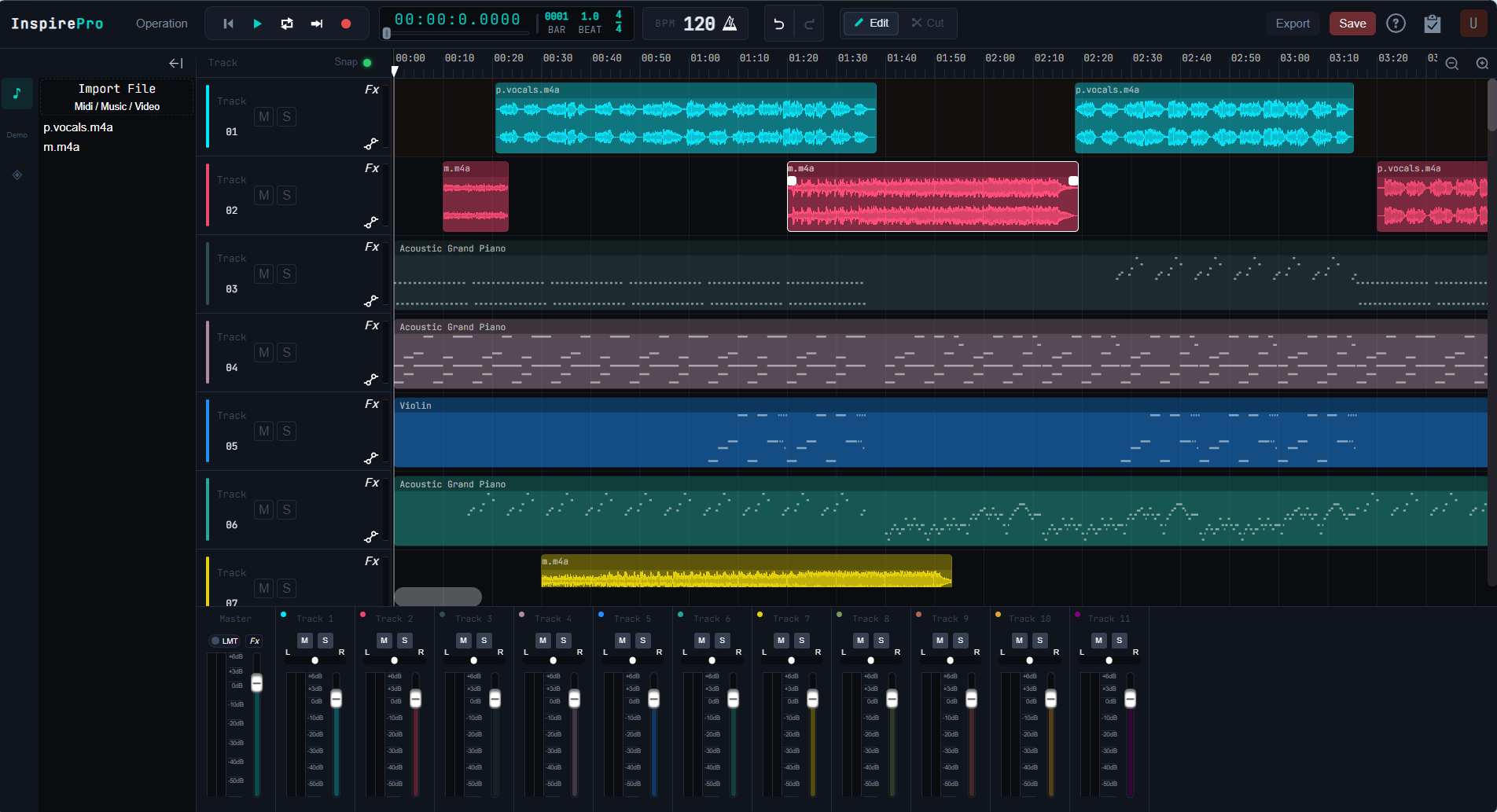
Supports common editing functions such as multi‑track mixing, cutting and MIDI editing, real‑time online preview, multi‑format import and export compatibility. No installation required; all audio editing processes can be completed via browser.
Multi-track mixing for richer sound layering
Handle multiple audio tracks simultaneously, easily layering vocals, background music, ambient sounds, and more to meet complex audio composition needs.
Real-time preview and efficient playback
Each track can be independently monitored, muted, or activated, allowing precise fine-tuning with ease; WYSIWYG real-time preview lets every adjustment be instantly reflected, ensuring smooth workflow and uninterrupted creativity.
Supports a wide range of audio and video formats
Supports simultaneous import of multi-track files, including audio and video, with automatic extraction of audio tracks for editing; compatible with MP3, WAV, FLAC, AAC and other audio formats, flexible export options to meet needs for podcasts, dubbing, short videos, and more.





MIDI editing
Professional MIDI
Piano roll editor
Industry‑standard MIDI workflow fully implemented in browser. Handle simple melodies or complex arrangements with ease.
Precise velocity control
Independent velocity value for each note, supports velocity envelope drawing for realistic performance.
Smart quantization & swing rhythm
One‑click beat alignment or humanized swing to add groove to rigid rhythms
Chord & scale assistance
Smart chord recognition, scale highlighting for easy harmony writing without music theory knowledge
MIDI controller
Draw MIDI CC controllers
Make every parameter
move with time
Draw precise automation curves to control any parameter over time. Bring music to life.
Features Introduction
Discover the core strengths of InspirePro: multitrack editing, channel separation, time stretching, pitch shifting, automation envelopes, and professional mixing—combined with stable, smooth performance, an intuitive design, and continuous innovation to deliver a precise, reliable, and efficient all-in-one audio creation experience.
Audio Editing
Achieve precise audio editing through visual waveform manipulation, including cutting, dragging, and fading. Whether podcasting, dubbing, or music creation, quickly organize and optimize your desired clips.
Track Stretch & Pitch Shift
Supports real-time pitch shifting by stretching or compressing track length, automatically adjusting pitch without extra plugins, enabling flexible tuning and creative experimentation.
Reverb Effect
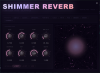
Reverb simulates real space sound wave reflections, adding rich layers and spaciousness. Whether a warm hall or a deep cathedral, reverb makes audio fuller and more pleasant, enhancing overall listening experience with professional, emotive sound.
EQ Equalization
EQ precisely adjusts volume across frequency bands, optimizing sound spectrum balance. It enhances vocal clarity, strengthens bass, reduces noise, making audio cleaner and more natural, helping create professional-grade perfect sound.
Precise Channel Control
Channel adjustment flexibly controls left-right balance and distribution, achieving precise stereo positioning. Whether creating a wide spatial sense or highlighting specific sound sources, it adds layering and spatial expression to your audio.
Dynamic Compression
Compressors intelligently adjust audio dynamic range, balancing loudness differences and preventing abrupt volume changes. They make sound more balanced and full, clarify details, and enhance coherence and professionalism. Essential for vocals, instruments, and mixes alike.
Easy Recording
Capture every sound detail clearly, faithfully reproducing your audio world. Professional recording helps you easily create high-quality audio, making every expression perfectly pleasant.
Volume Automation
Volume automation adjusts audio envelopes to precisely control volume fluctuations and detail changes. You can flexibly draw or edit volume curves for smooth fades and dynamic emphasis, perfectly matching loudness for every note and clip, enhancing expressiveness and professionalism.
Metronome
Precise metronome helps stabilize your rhythm. Whether practicing or creating, it provides steady tempo guidance for more coordinated and rhythmic music.
FAQ
You can contact our customer support team via email at support@juziyoo.com or call our toll-free number. We are always here to help you.
Click the "Import File" button in the file list to import your audio and video files
We support all common audio formats on the market and also support video import. In the pop-up file selection dialog, choose “All Types” to select video files.
Imported audio/video files will not appear directly on the mixing panel but will show in the side panel of the interface. You can click and drag them into the mixing panel to start editing.
Drag the imported audio/video from the sidebar into the mixing panel to start editing. Click the “scissors” icon at the top of the track to trim the audio/video. Selecting the “pencil” allows editing only without cutting.
Click the "Export" button at the top, select an export format in the pop-up window; click the "Save" button to save your current project editing progress locally!
File size limits depend on current system hardware. The better the hardware, the larger the supported file size in theory. However, it’s recommended to keep files under 2GB since larger files consume more system memory.
Real-time recording and editing are supported. After recording, click save to store the recording in the sidebar, then drag it into the mixing panel for editing!